
How do reviews affect SEO? Google reviews contribute to prominence in local results and help prospective customers assess your business before they contact you. A useful review process gives customers an easy way to describe a genuine experience and gives your team a consistent way to respond.
For a Toronto service business, the practical goal is credible feedback that helps the next customer make a decision. Build the request into your normal customer journey instead of treating review collection as an occasional campaign.
What reviews contribute to local visibility
Google describes local ranking in terms of relevance, distance and prominence. Reviews and ratings contribute to prominence, alongside other information about the business. They are part of the wider local search picture.
A business still needs accurate profile information, suitable service categories and a website that explains the offer. Compare businesses competing for the same service and location before deciding whether reviews are the main gap.
Make the review link easy to find
Sign in to the account managing your Business Profile. Find your business on Google, open the available review-request option and copy the link for the correct location. In the interface shown below, Get more reviews opened the Share panel.
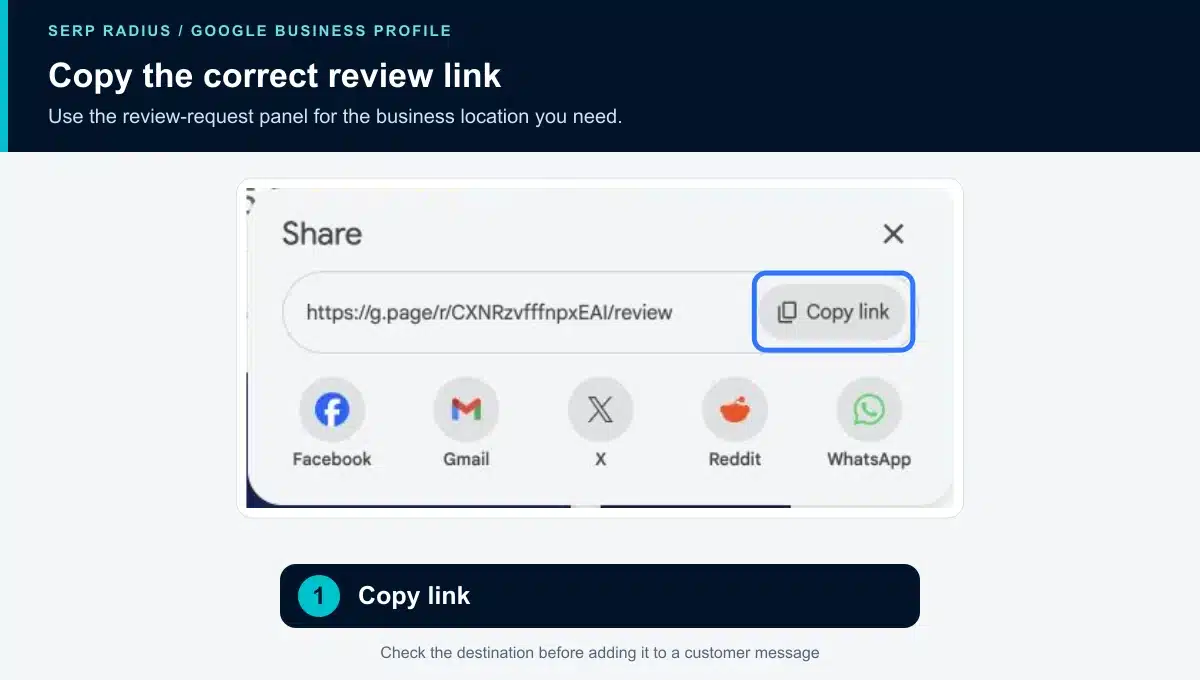
Copy your own profile’s link before adding it to a message or receipt.
Open the link in another tab to check the business name. If you have several branches, keep a separate approved template for each location. This avoids directing a customer to a branch they did not use.
For printed material, see our guide to creating and testing a Google review QR code.
Ask at a relevant point in the customer journey
Choose a point when the customer has experienced the service, such as after a completed appointment or resolved support request. Assign responsibility so requests happen consistently without several team members contacting the same person.
Keep the request optional and neutral. Do not offer an incentive, specify a rating or ask only customers expected to leave positive feedback.
Thank you for choosing [Business name]. If you would like to share your experience, you can leave an honest Google review here: [Review link]. Your feedback helps us understand what worked and what we can improve.
Use the customer’s normal communication channel where appropriate. A receipt or existing follow-up message may be more useful than adding another separate message to their inbox.
Respond in a way that helps future customers
Thank reviewers for useful feedback and address concerns calmly. Explain the next step where a problem needs investigation. Move account-specific discussions to an appropriate private channel without disclosing personal information in the public reply.
Avoid filling replies with repeated city names or promotional paragraphs. The reply should make sense to the person who wrote the review and to someone deciding whether to trust your business.
If reviews appear to be missing, use a separate missing Google reviews checklist. Increasing request volume will not diagnose why an existing contribution is unavailable.
Measure the process alongside business outcomes
Track whether requests are being sent at the agreed stage, whether the link works and whether feedback reveals a recurring service issue. Review the trend alongside profile interactions and qualified enquiries.
A rising review count alone cannot establish why rankings or leads changed. Keep a record of other changes, including advertising, opening hours and website updates, when evaluating progress.
SERP Radius’s local SEO services connect profile accuracy, customer feedback and the website enquiry journey. Request a consultation if you need help identifying which part needs attention first.
For the policy behind a review request process, read Google’s local ranking guidance and review content policies.
To make the request easy to act on, follow our guide to finding and copying your Google review link.