
Google Business Profile suspended? First identify whether the restriction affects the profile or its managing account. Then check the business details, prepare evidence that supports the real operation and use the eligible appeal route. Getting that sequence right matters more than repeatedly changing the listing.
For a home-based Hamilton or Burlington business, preparation starts with how customers actually receive the service. For an organization managing several Vaughan locations, it also requires a separate status record for each profile.
Check the restriction before preparing the file
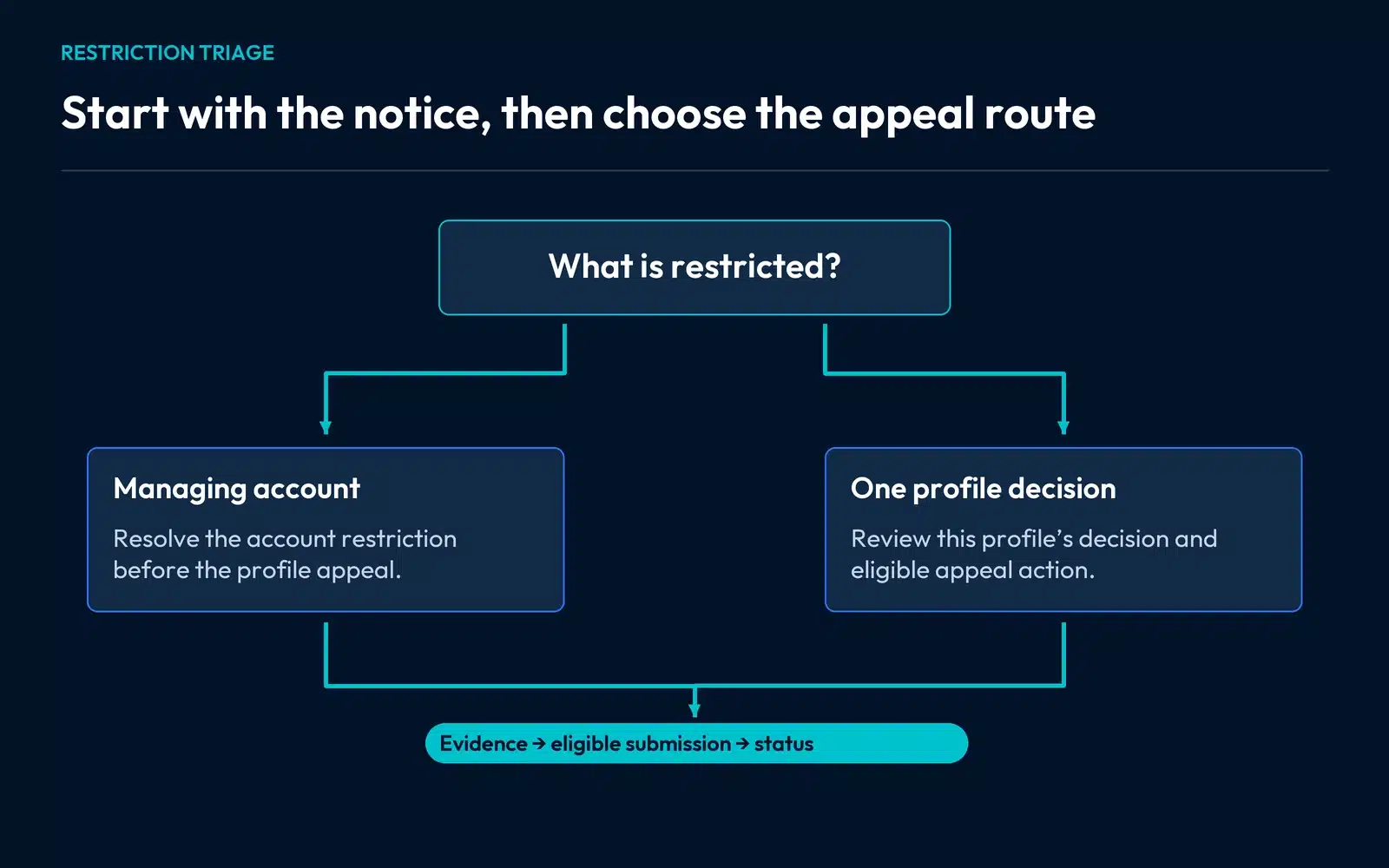
Sign in to the account that manages the business. Save the exact notice, affected public profile link and any existing appeal reference. Look for the stated reason and the decision’s available actions.
An account restriction can affect several managed profiles. Google’s suspension guidance directs owners through the account-restriction appeal first and then the Business Profile appeal after that restriction is lifted. A restriction on one profile follows its own displayed decision and eligibility.
This is why a table of affected locations helps. Give each profile its own row rather than assuming the same notice, explanation and next step apply to every branch.
For a wider account issue, the checklist for maintaining a clear record for each business location helps organize the affected records.
Check whether the profile describes the actual operation
Compare the name, business model, address arrangement, category and website with the real business. A plumber visiting customers from a home base has different public-location requirements from a staffed showroom.
For a home-based service company, work through the facts in this order:
| Operating fact | Question to answer | Preparation decision |
|---|---|---|
| Work happens at customer properties | Does the profile represent the service-area arrangement accurately? | Review the address and service setup before submitting |
| The website lists a public visit address | Can customers actually receive service there as described? | Correct a misleading visit claim on the website |
| The business trades under a customer-facing name | Can the supporting records explain the business identity? | Gather legitimate evidence and explain differences clearly |
| Another profile exists | Does it represent the same operation or a genuinely separate eligible location? | Resolve the relationship before choosing a correction |
This table is a way to identify inconsistencies, not a diagnosis that a home address caused the restriction. Use Google’s representation rules for the applicable business model.
Build an evidence pack that supports the profile
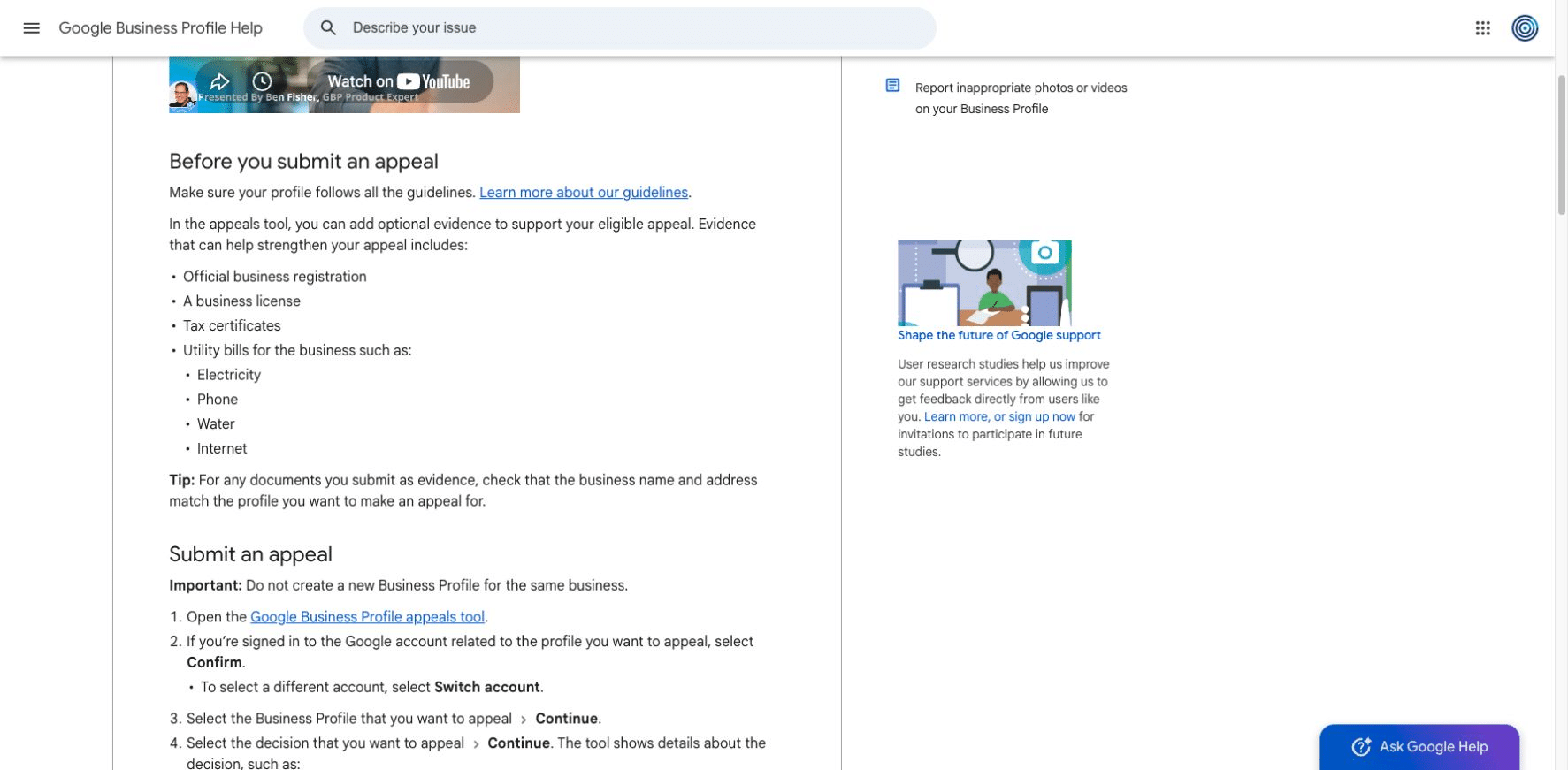
Google identifies records such as business registration, a business licence, tax certificates and business utility bills as potentially helpful supporting evidence. Check the business name and address against the profile and submit the relevant material through the official process.
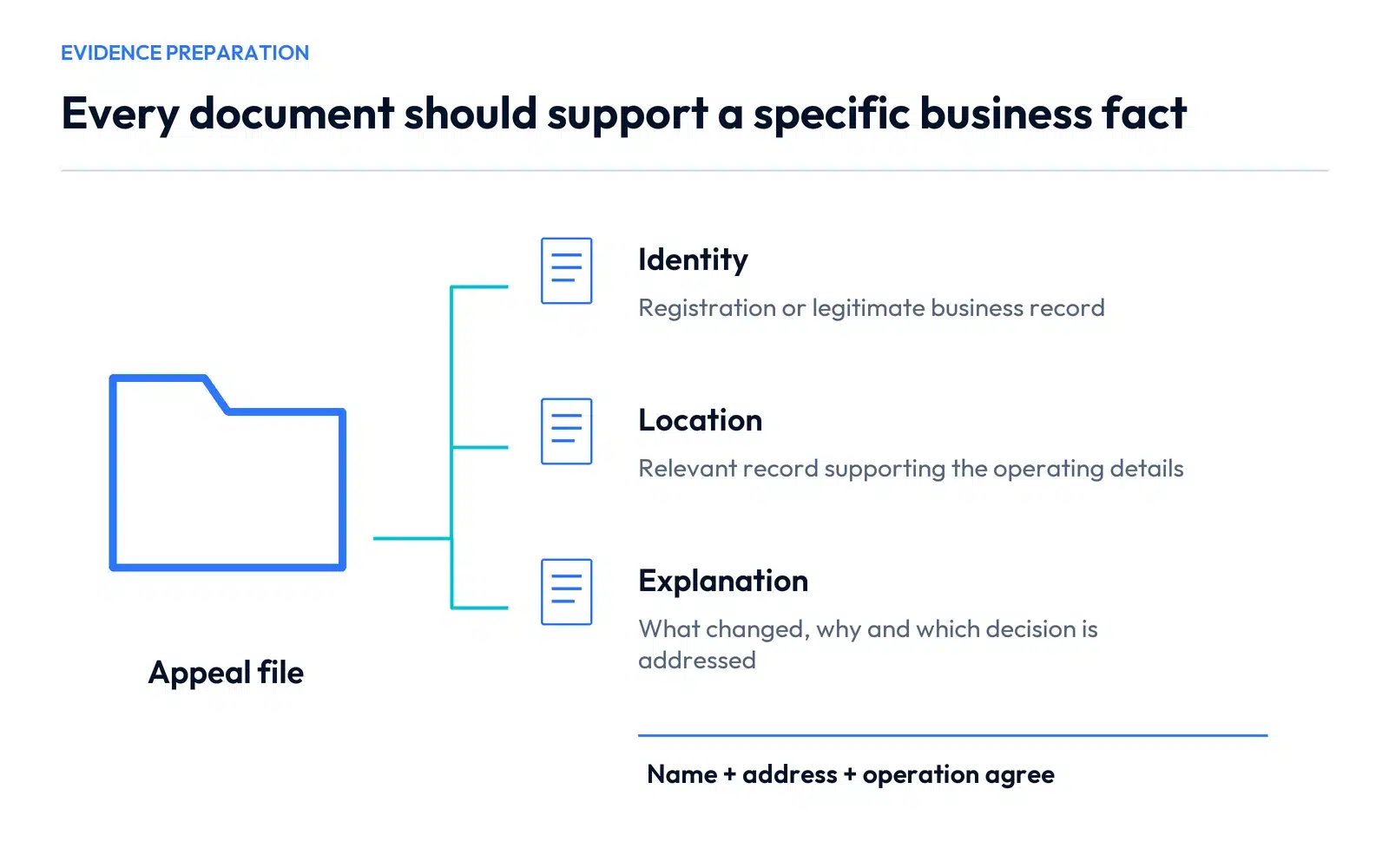
Arrange the pack around what each item establishes:
- Identity: which legitimate record identifies the business?
- Location: which record supports the operating address relevant to the profile?
- Explanation: what was inaccurate, what was corrected and why does the current setup represent the business?
- Case history: which notice and decision does this submission address?
A pile of unrelated documents makes the explanation harder to follow. If two records use different names or addresses, investigate the reason and explain it accurately. Altering documents to make them agree would create a different problem.
Submit the eligible appeal
In the Business Profile appeals tool, confirm the managing account, select the correct profile and decision, and review its eligibility. Add the relevant explanation and evidence, check the submission confirmation, then submit when the pack is complete. Google states that an appeal can be submitted only once through that stage.
A useful explanation has three parts: the business arrangement, the verified discrepancy or decision being challenged, and the evidence supporting the current accurate representation. Keep the same account, profile and case references throughout.
Read the result before choosing another action
The tool distinguishes submitted, approved, not approved, unable-to-appeal and eligible-to-appeal states. Use the status shown for the selected profile.
If the request is pending, retain the submission record and follow the current instructions rather than sending competing versions of the explanation. If it is denied, review the reason and identify relevant evidence that was missing. Google’s additional-review route is intended for eligible denied requests; it is not a substitute for preparing the initial file.
For a multi-location issue, update each profile’s status separately. A case response about one selected location should not silently be treated as a decision about every branch.
Keep the customer route accurate while the case is open
The website should continue to explain the services, real coverage and working contact details. Check appointment messages and directions if the restriction follows a move. The address-change checklist covers that handoff.
There is no useful reason to create a replacement profile simply to bypass the restriction. Work on the existing record and the supported process so customers are not presented with competing versions of the business.
SERP Radius can review the website, public business details and local-search setup for Hamilton, Burlington and Vaughan businesses. Request a consultation with the affected profile and a brief description of the notice so we can establish the appropriate scope when you find your Google Business Profile suspended.