
Fake Google reviews need two separate decisions: whether the content has a supportable policy problem and how the business should respond publicly. Check the evidence, report the applicable issue and follow the resulting status. A review you cannot match to a customer name is a reason to investigate, not proof that the person is fake.
For a Vaughan clinic or a Hamilton service business, a review dispute also needs a reliable internal process. Somebody should own the evidence, public response and next case action.
Assess the content before choosing a report reason
Read the review against Google’s content policies. Distinguish a suspected fabricated interaction from a genuine complaint about service.
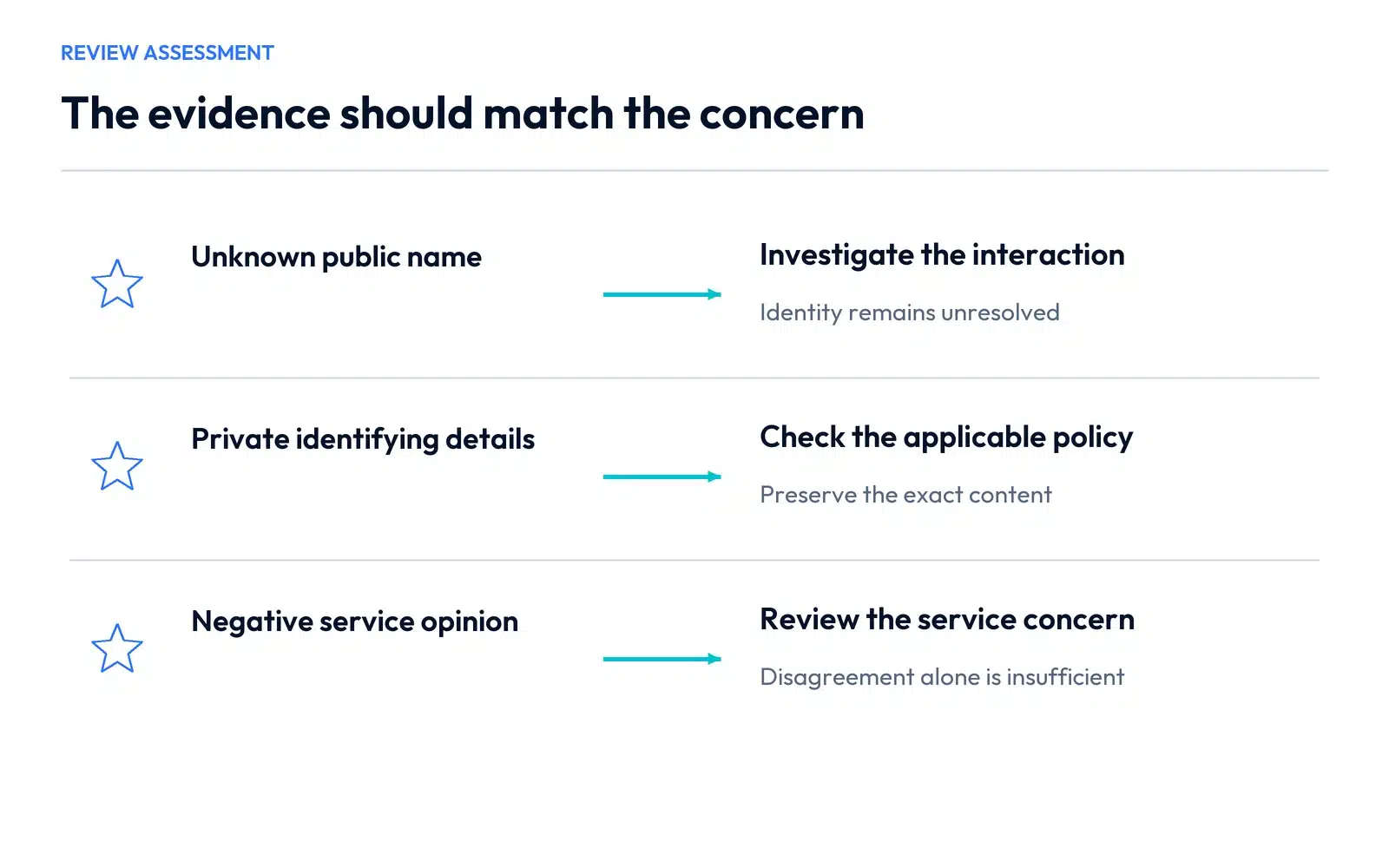
Use an evidence matrix instead of a general accusation:
| Observation | What it supports | What still needs checking |
|---|---|---|
| No matching customer name | Internal identity is unresolved | Different public name, another team member or an interaction without a purchase |
| Content exposes private identifying information | A specific privacy concern may apply | The exact content and applicable policy |
| A supported conflict or fabricated engagement concern | A policy-based report may be appropriate | Relevant evidence rather than a competing allegation |
| A customer dislikes the price or service | A negative opinion or service complaint | Whether any separate prohibited content is actually present |
Google removes content for applicable policy violations, not because a business dislikes the rating. Keep the public review link, relevant text and the factual grounds for any report.
Reply for the people reading the profile
A short useful reply acknowledges the concern and provides a private contact route the team monitors. Avoid debating an individual’s records in public. Clinics and other businesses handling sensitive information should take particular care with anything that could disclose a person’s relationship with the business.
A response can be as simple as:
We take service concerns seriously. Please contact our team using the details on our website so the issue can be reviewed privately.
Adapt it to the actual concern and what the team can do. If the review describes a genuine failure, handle that through the appropriate service process as well as responding on the profile.
Report the review and check the result
Google’s reporting instructions allow reporting from the profile’s reviews or through the Reviews Management Tool. Use the authorized managing account, select the correct business and review, choose the supported reason and submit.
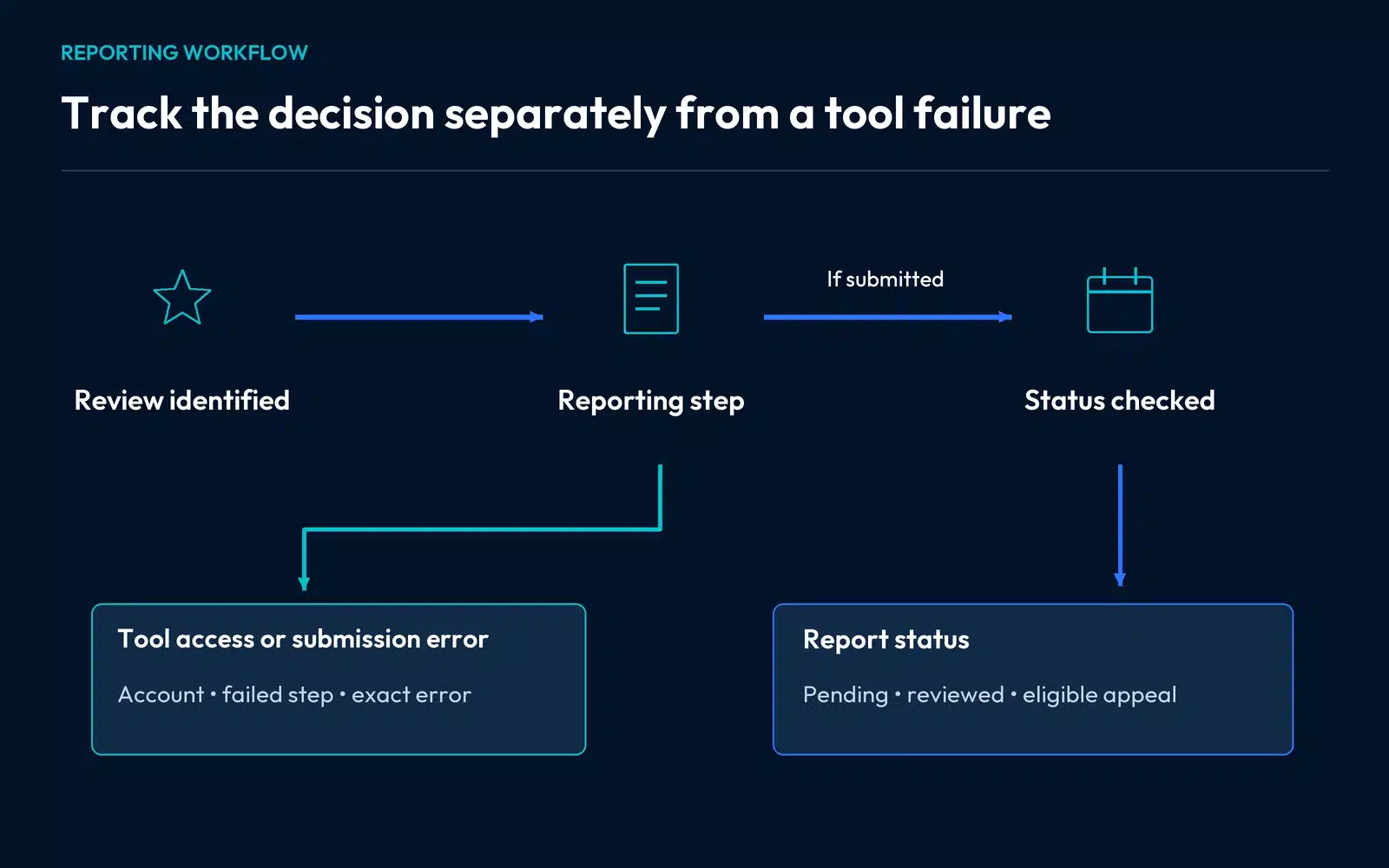
Return to the tool to check status. A pending decision calls for tracking; a reviewed report finding no violation may offer a one-time appeal. Use the eligible appeal option and explain the specific policy concern with relevant evidence.
Keep the report and subsequent decision with the same review record. The public response, the reporting submission and the final decision are different actions.
When the Reviews Management Tool will not work
An interface error is separate from a decision about whether the content violates policy. First identify the failed step:
- The business is missing: confirm the managing account, role and exact branch.
- The tool opens but the review is absent: compare the public review and selected location.
- Continuing produces an error: retain the exact error and the last completed step.
- Submission is ambiguous: look for a confirmation or status record before assuming success.
- A decision is already shown: follow that decision’s available options rather than treating it as a login problem.
A controlled second-browser check can help establish whether the same step fails. It does not establish the merits of the review-removal request.
Prepare a clear technical support note
Use a concise description that separates the access failure from the policy explanation:
The authorized account reaches the correct business selector. Continuing produces the attached error, so we cannot confirm a reporting submission. The same step fails in a second browser. The public profile and review links are included, along with the existing case reference.
Fill in the actual observed error and checks. Send the relevant information through the Business Profile support route. Redact private account or customer information from material shared publicly.
Keep the review’s policy evidence in its own section. That makes it clear whether the next person needs to investigate a broken workflow, a report status or a content decision.
Keep review requests genuine while the case is open
Continue inviting honest feedback through a consistent process. Avoid incentives, selective positive-review solicitation or organized reporting against a reviewer.
If genuine reviews disappear, use the missing-review guide instead. A public review you want assessed and genuine feedback that cannot be found require different evidence.
Check the website journey as well. People reading the response may visit the service page next; they should find accurate services, coverage and a working contact route.
Our Vaughan SEO services and Hamilton SEO services can review the wider profile and website setup. Request a consultation with a short description of the public issue so we can identify the appropriate scope around fake Google reviews.