
To check if a page is indexed, use URL Inspection in Google Search Console. Enter the exact URL, read the indexed result and inspect the supporting details before deciding whether anything needs fixing.
This is especially useful after publishing a service page, changing a URL or investigating a page that is difficult to find in search.
Inspect the final URL
Open the Search Console property covering your page. Paste the complete URL into the inspection bar and submit it. Check that you used the intended hostname and final page path.
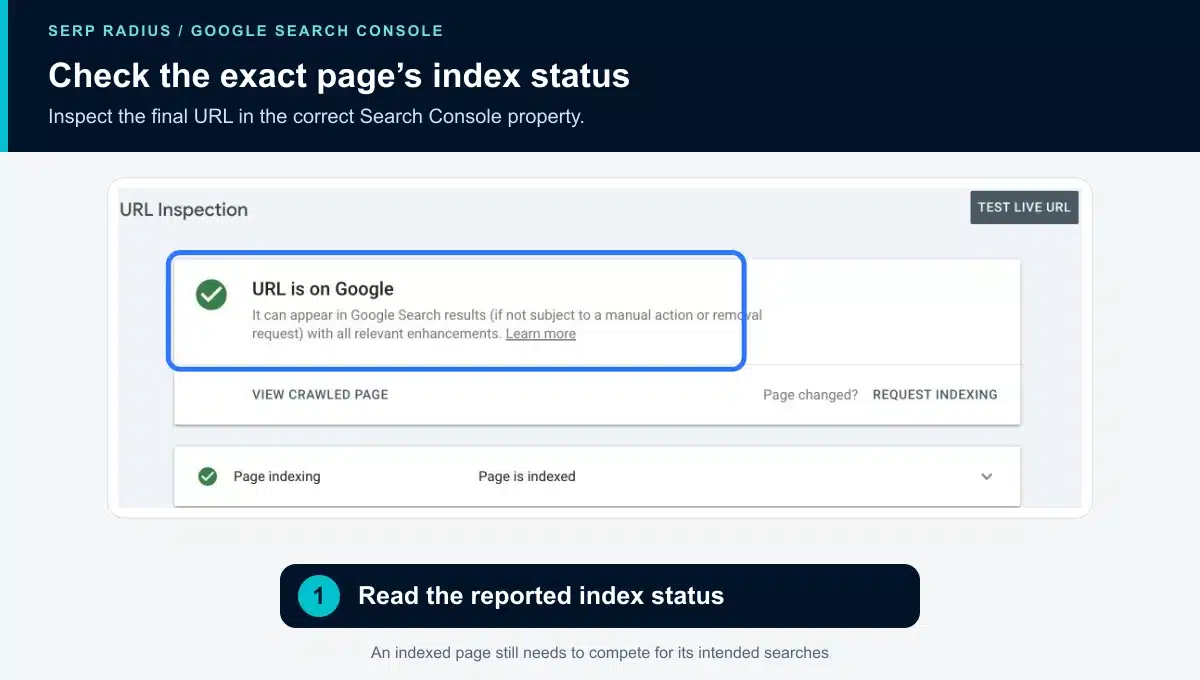
Read the status for the specific page you inspected, rather than assuming the whole site shares it.
If your old URL redirects, inspect the intended destination separately. Otherwise, you can end up reviewing a retired address while the customer-facing page has a different status.
Read the result before requesting another crawl
The example shows URL is on Google and Page is indexed. These establish the reported index status; they do not establish the page’s position for a keyword.
If the page is excluded, read the stated reason and check whether the exclusion is expected. A duplicate URL may correctly point to another canonical page. A staging or account page may intentionally stay out of search.
Keep this question narrow: should this particular URL be an independently discoverable public page? That decision comes before changing directives or requesting indexing.
Review crawl and canonical information
Expand Page indexing to inspect the available crawl and indexing details.
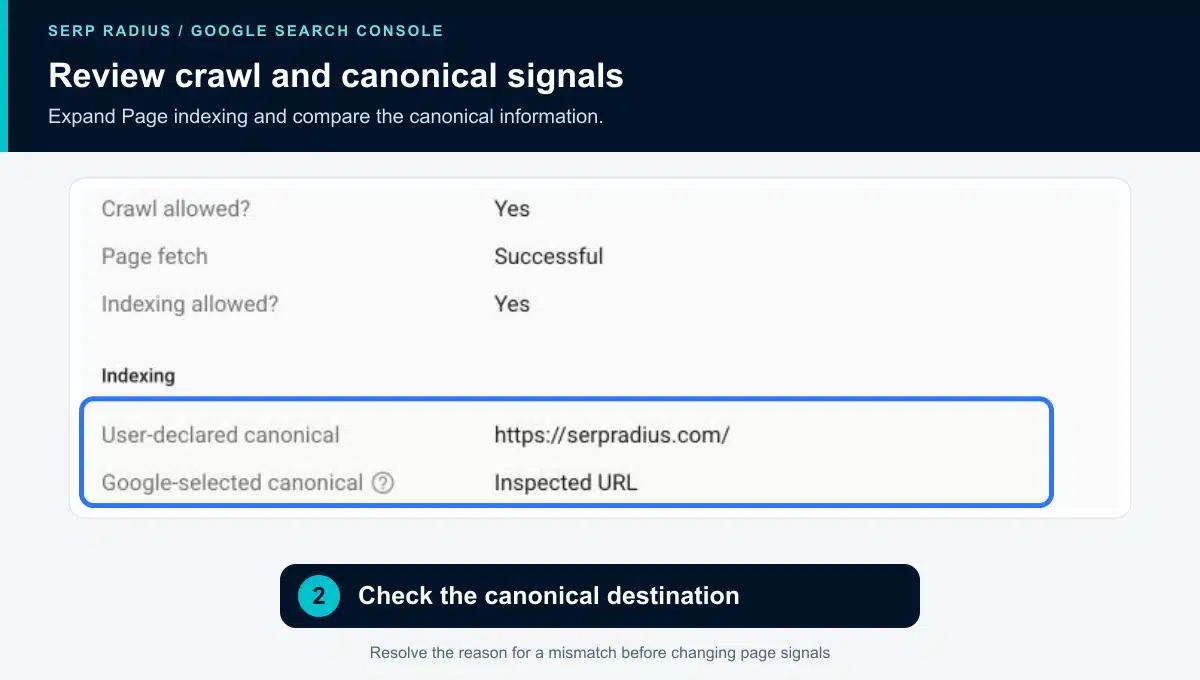
Compare the canonical information with the URL that should represent the content.
Check whether the page could be fetched and whether indexing is allowed. Then assess the declared and selected canonical information. If they differ, investigate duplicate content, redirects and internal links before trying to force a change.
For a status-specific explanation, use the existing alternate page with a proper canonical tag guide. A valid alternate is not automatically an error.
Use a live test for a current accessibility check
The indexed result describes Google’s stored information. If you recently fixed a problem, Test live URL can help assess the current page’s accessibility. It does not establish that the updated page has entered the index or guarantee the canonical Google will choose.
Review the stored result and current test as separate pieces of evidence. A successful live check can coexist with an older indexed status while Google processes changes.
Request indexing when there is a useful reason
After publishing an important page or resolving a material barrier, an indexing request can ask Google to revisit the URL. It does not guarantee inclusion, rankings or an immediate response. Repeated requests for the same page do not make crawling faster.
For a larger set of public URLs, submit a current sitemap to Search Console and maintain meaningful internal links rather than treating manual requests as your ongoing publishing system.
Record the decision and follow up
Keep the URL, reported status, intended purpose and next action in a simple log. Where a repair is needed, record what changed so a later check has context.
Prioritise pages tied to your services and customers. If several important pages have inconsistent canonical signals or unexpected exclusions, request a technical SEO consultation. SERP Radius can assess the shared cause before you repair pages one at a time.
For the meaning of each result, consult Google’s URL Inspection documentation.