
A second branch should make it easier for customers in another area to reach your business. Online, it can also create confusion: shared phone numbers, unclear booking links, overlapping profiles and location pages that look identical.
Google Business Profile for multiple locations starts with the operation itself. Establish whether there is a genuine additional branch and how customers will use it before creating another profile.
At SERP Radius, we treat the profile, branch page and enquiry route as one customer journey. If those pieces describe different things, adding another listing only makes the inconsistency more visible.
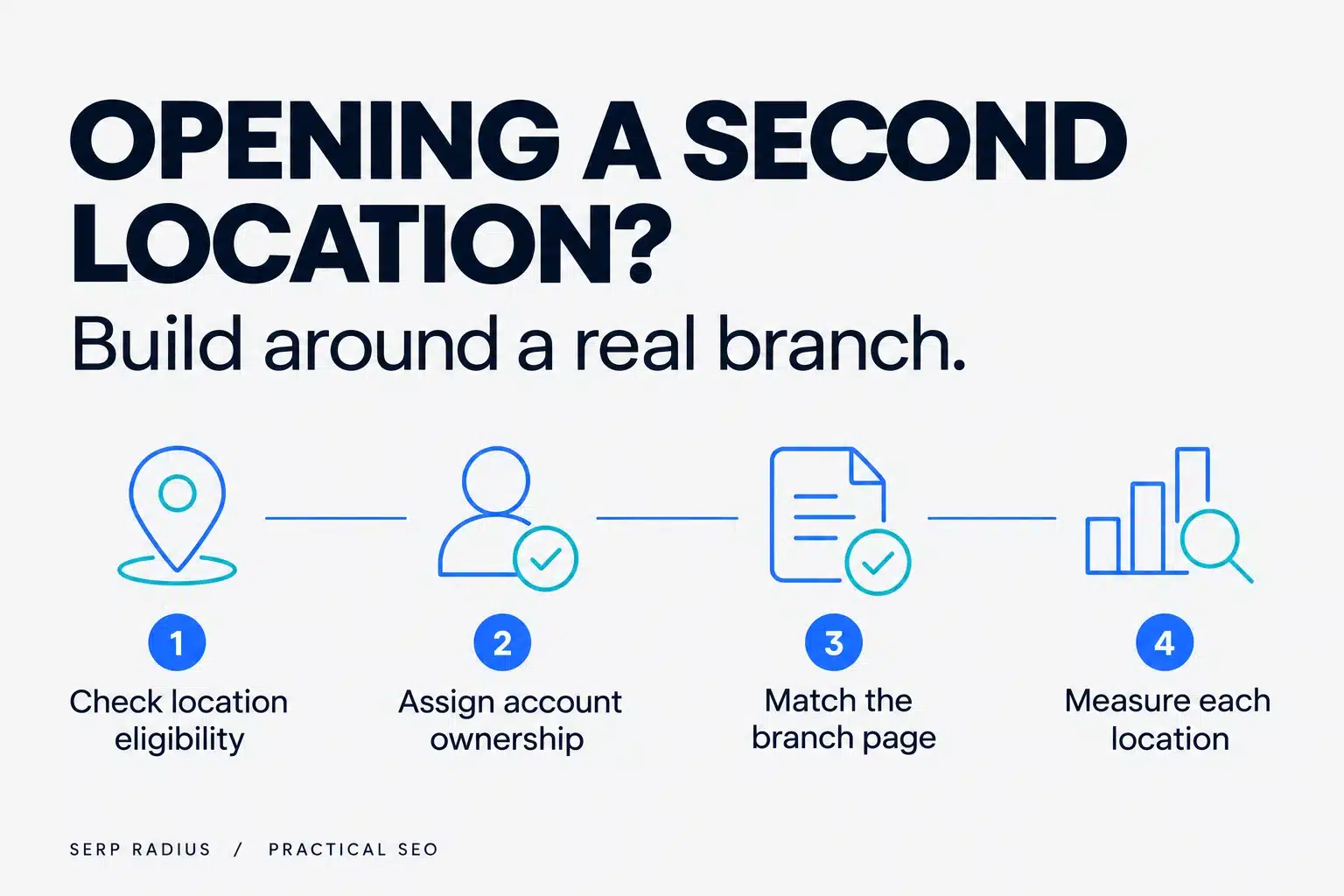
Confirm that this is a real additional location
Opening a staffed branch is different from expanding the area a team travels to. It is also different from renting a mailing address in another city.
Write down what exists at the new location, who works there and how customers interact with it. Then check the applicable Google Business Profile guidelines.
Do not use a second profile as an experiment to reach more searchers. The location must be represented accurately before there is a meaningful optimization decision to make.
An illustrative example is a clinic opening another patient-facing branch in the GTA. That needs a different setup from a contractor simply accepting jobs across a wider area.
Establish who owns and manages the account
Before launch, confirm which business-controlled account has the appropriate ownership and who needs management access. Avoid a setup that depends entirely on one employee's or external supplier's personal availability.
Record who is responsible for location details, customer messages, reviews and changes to opening hours. A second branch often exposes gaps that were manageable when everybody worked from one place.
The same principle applies to website access and booking systems. The business should know who can change a location page and who will notice if its contact route stops working.
Clear ownership is an operational requirement, not an advanced SEO tactic.
Create a location master record
Use one shared reference for the information each platform should display:
| Field | Why it matters |
|---|---|
| Location name and address | Prevents uncertainty about the branch |
| Customer-facing hours | Helps people plan an actual visit |
| Phone and booking route | Reaches the right team |
| Services available | Avoids promoting something the branch cannot provide |
| Website destination | Connects the profile to useful branch information |
| Responsible person | Makes corrections and reviews accountable |
Record branch differences instead of forcing every location into the same description. If one location provides a service another does not, a customer should be able to establish that before enquiring.
Keep the record current as operations change.
Before copying one location page across several cities, use the service-area page decision checklist to assess whether each URL has a distinct job. A relocation has different checks; use the address-change guide when one branch is moving rather than adding premises.
Build a branch page that answers practical questions
A location page should explain where the branch is, what happens there and how to contact or book with it. Useful material may include genuine photographs, arrival information and services actually available.
Avoid a page that changes only the city name while retaining claims or contact details from another branch. That creates maintenance risk as well as a poor customer experience.
Our on-page SEO approach asks whether the content matches the visitor's task. For a branch page, the task is often practical: confirm this is the right location and take the next step.
Do not create several new service pages unless there is enough useful, accurate information to support them.
Choose the website destination deliberately
Check which page the profile should link to. The best destination is the one that accurately represents that location and helps its customers.
For some businesses, the homepage may still be clear. For a company with several distinct branches, a strong branch page may provide a better route. Do not decide from the URL alone.
Open the destination on a phone. Confirm that the location is obvious and that the contact action does not silently send the visitor to a different branch.
This is part of the broader connection between local SEO and website relevance. A profile cannot compensate for a confusing destination.
Review the business information across platforms
Compare the new profile, website and important listings against the master record. Check that the address, services and contact details describe the right operation.
If older listings already exist for the business at that address, investigate them before creating duplicates or requesting changes. Keep the profile links and any support references in the location record.
Use our citations guide for the wider principles. For branch launch, the immediate goal is accurate information in the places customers are likely to encounter it.
Test the branch's enquiry path
Submit an appropriately labelled test through the customer route and confirm that it reaches the right team. Where a booking tool is involved, check the selected branch and confirmation details.
Include the intended branch in the test record and ask the receiving team to confirm which service and location they see. Also check any fallback route used when the branch is unavailable. An enquiry reaching the central inbox is not proof that it reached the people responsible for responding.
Keep phone-button interactions, received enquiries and completed bookings separate in reporting. Combining them can make one location appear productive while hiding a routing problem.
Measure each branch in its own context
Do not judge a new branch only by comparing its totals with an established location. They may have different histories, services, competition and capacity.
Record the relevant search terms and areas, then review whether visibility brings appropriate enquiries. The useful comparison is whether each location is becoming easier for its intended customers to find and use.
If the second branch is receiving unsuitable contacts, revisit the service description and website route. More visibility will not resolve a mismatch between the offer and the audience.
Questions business owners ask
Can I create a profile for every city I serve?
Do not equate service coverage with separate branches. Check the actual operation and applicable eligibility rules before adding profiles.
Should every branch use identical website content?
Keep brand information consistent, but explain genuine differences in services, arrival details and customer routes. Do not manufacture differences just to make the copy unique.
Will a second profile guarantee more leads?
No. Eligibility, relevance, competition and the enquiry journey still matter. A profile is part of the setup, not a guaranteed business outcome.
Launch the branch, not just the listing
A useful second-location setup has clear ownership, accurate information, an appropriate page and a tested contact route.
SERP Radius helps Toronto and GTA businesses connect those pieces. Request a second-location readiness review before expanding the online footprint of a branch that still needs operational clarity.