
Google Business Profile posts let you share updates, offers and events with people viewing your business. A useful post gives the customer timely information and a relevant next step, such as reading about a service or checking an event’s details.
Start with something worth communicating. A publishing schedule has limited value if every update repeats the same general sales message.
Open the post composer
Sign in to the account that manages the correct profile. Open Posts, then select Add post. The composer shown below offers Update, Offer and Event.
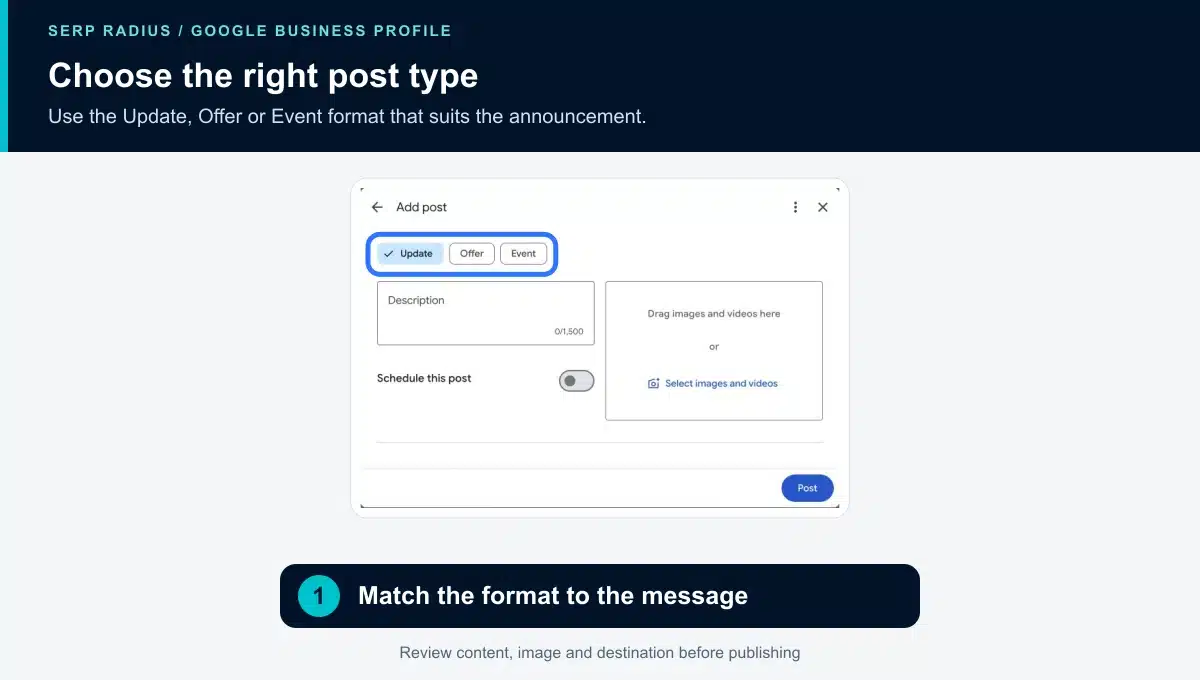
Choose the type that fits the information you need to communicate.
Use an update for a relevant announcement. Where an offer or event is appropriate, provide the actual terms or scheduling information required by the form. Do not use an offer format merely to make an ordinary announcement appear more urgent.
Write around one customer decision
Lead with the information the reader needs. Explain what is available, who it suits and what to do next. Include a location only where it helps establish the actual service or event coverage.
For example, a service announcement can explain a new appointment option, the clients it suits and where to find the scope. An event post should make the event’s purpose and attendance details clear.
Avoid unsupported results, invented availability or a string of loosely related keywords. If a claim needs a qualification on the landing page, consider whether the shorter post also needs that context.
Choose a relevant image and destination
Use an image you have the right to publish and that accurately represents the update. Check the preview for cropped text and an understandable focal point.
Where the composer offers a button, choose an action that matches the destination. A service announcement should lead to the relevant service information where possible, rather than requiring the visitor to search through the homepage.
The destination needs to work on a phone and explain the same offer. A clear post cannot compensate for a broken booking link or unclear enquiry form.
Review before posting
| Review point | Question to resolve |
|---|---|
| Accuracy | Are the service, availability and conditions correct? |
| Image | Does the preview communicate the intended information? |
| Destination | Does the link reach the correct page and action? |
| Timing | Will this still be useful when customers see it? |
| Policy | Does it comply with the rules applying to the content and business? |
Publish only after the responsible person has checked those details. Then review the resulting status. A post shown in the management interface is not enough to establish that customers can see it as intended.
What to do if a post is rejected
Read the status and applicable content rules before resubmitting. Check the wording, media, linked destination and the type of business involved. Avoid repeatedly reposting the same content without understanding the issue.
Keep a copy of the post and any notice so the review has a clear reference. A rejection on one item does not by itself identify a problem with every part of the profile.
Judge posts by their business purpose
Choose a measure suited to the update, such as a relevant website visit or completed booking where your tracking supports it. Keep the Business Profile performance report and enquiry records in context.
There is no basis here for promising that a particular posting frequency will improve rankings. Prioritise accurate business information and a useful customer journey alongside the updates.
For help connecting profile content with your service pages and enquiries, request a local SEO consultation.
For supported post types and publication rules, read Google’s Business Profile post instructions.