
Google Analytics 4 measures and reports website activity. Google Tag Manager manages the deployment of tags and the conditions under which they run. They can work together, but installing Tag Manager does not automatically create useful Analytics reports.
For a service business, the useful question is whether the setup can connect visits with real enquiries. That requires clear event definitions and a tested delivery path.
What each tool does
| Business task | Google Analytics 4 | Google Tag Manager |
|---|---|---|
| Review traffic acquisition | Reports collected activity | Can deliver the measurement configuration |
| Analyse an enquiry funnel | Reports the events received | Can trigger events from verified site interactions |
| Change when a tag fires | Not its main role | Manages tags, triggers and variables |
| Check whether a visitor became a client | Needs appropriate outcome data | Can support delivery, but does not qualify the lead itself |
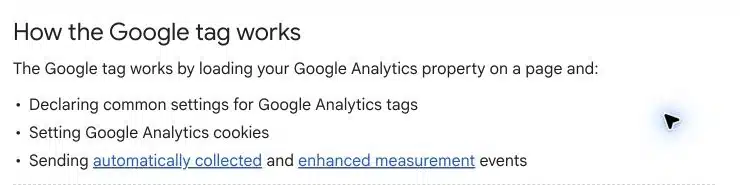
Google documents setting up Analytics through Tag Manager. Analytics can also be installed through other supported routes. You do not need GTM solely because you want basic Analytics measurement.
A practical enquiry measurement chain
Consider a fictional accounting firm with an AJAX contact form. The visitor presses Send, but the form might fail validation or the server might reject the request.
We would define the measurement chain before choosing a trigger:
- The form receives a confirmed success response.
- The website exposes a reliable success signal.
- The configured tag sends the intended event once.
- Analytics receives the event with useful, non-personal context.
- The enquiry is reviewed in the business’s own lead records.
Google provides the recommended generate_lead event. The event name alone does not validate the underlying interaction. If it fires on every submit-button click, the report can count failed attempts as enquiries.

What our own implementation taught us
On the SERP Radius website, we configured a listener for the live assessment form’s server-success signal. The implementation included duplicate suppression, staff exclusions and allowlisted contextual fields. It did not read submitted personal details.
Local behavioural tests covered successful signal handling, duplicate notifications and failed conditions. We also kept phone clicks separate from completed calls.
An important limitation remained: a real anonymous form submission reaching the processed lead report had not been verified in that task. Publishing a container and passing local tests are useful milestones, but neither replaces an end-to-end check.
Why page views can appear while lead events are missing
Our consent setup offered another useful example. An analytics-only choice could load standalone GA4 page measurement while leaving the advertising-containing GTM container blocked. Lead tags inside that container therefore had a different delivery condition from page views.
This was a consequence of our specific architecture. It is not an inherent limitation of GTM.
When a report appears incomplete, draw the delivery path before changing event names. Identify where the base tag loads, where the lead event originates, which consent choices affect each component and how duplicates are prevented.
Do you need both for a small website?
Our recommendation is to choose the simplest maintainable setup that measures the decisions you need to make.
A basic site with a supported direct Analytics integration may not need a separate tag-management workflow. A site with multiple platforms, custom form behaviour and several measurement destinations may benefit from GTM’s central configuration and debugging tools.
Whichever route you choose, assign responsibility. Someone needs to know which integration owns page views, which component owns enquiry events and what should happen after a form or consent-plugin update.
A verification worksheet for your next enquiry test
| Check | Evidence to record |
|---|---|
| Required fields fail | No confirmed-lead event fires |
| Submission succeeds | The expected success signal occurs |
| Notifications overlap | One intended event is delivered |
| Consent changes | Behaviour matches the configured choice |
| Staff visit the site | Exclusion works as designed |
| Reporting completes | The event appears in the intended reporting destination |
Use synthetic test details and the site’s supported testing process. Debugging should not expose customer names, email addresses or message contents in analytics payloads.
For broader reporting decisions, read which SEO metrics matter. If visits are arriving but enquiries remain weak, our ranking without leads guide covers the business questions to investigate.
Which tool tells you whether SEO is working?
Neither tool can answer that question through installation alone. Define the outcome, collect it reliably and review quality alongside volume. A form start, a successful enquiry, a booked consultation and a new client belong at different points in the funnel.
For help assessing how website measurement connects with your SEO decisions, contact SERP Radius.