
To claim your business in ChatGPT, find your listing in Business Hub and verify ownership. If an eligible online business is missing from the search results, Business Hub may offer an option to add it.
How to claim and verify your business in ChatGPT
- Sign in to Business Hub. Use the ChatGPT account you’ll use to manage the profile. You must own the business or be authorised to represent it.
- Find and select your listing. Search for your business by name. If several results look similar, check the website or location before choosing a listing.
- Verify your connection to the business. Choose an offered verification method using your business phone, business email, website domain or Shopify. For domain verification, add the TXT record shown in Business Hub to your DNS settings, then select Verify domain.
- Wait for OpenAI to review your claim. OpenAI will email you a decision or ask for more information.
- Complete identity verification with Persona. After claim approval, this separate step lets you publish profile updates, connect a product feed or view Insights. Persona may ask for ID, business registration information and proof that you can represent the business. The blue badge appears after Persona verification is approved.
For help with a specific verification method, see OpenAI’s Business Hub setup guide.
How to add a missing business or handle a locked listing
| What you see in Business Hub | What to do |
|---|---|
| No matching listing | If Business Hub offers the option to add your online business, follow the prompts to create and verify the profile. Local stores and restaurants can currently claim only existing U.S. listings. |
| Contact support | The listing is locked. Use the support option on the listing to request access. |
| A profile someone else has claimed | Open its menu and select Dispute ownership, then follow the verification prompts. |
| A waitlist | Join the waitlist if offered and watch for an email about continuing your claim. |
During the beta, claim availability depends on your location, business type and supported verification methods. OpenAI lists a website as a requirement for initial eligibility.
What happened when we tried to claim SERP Radius
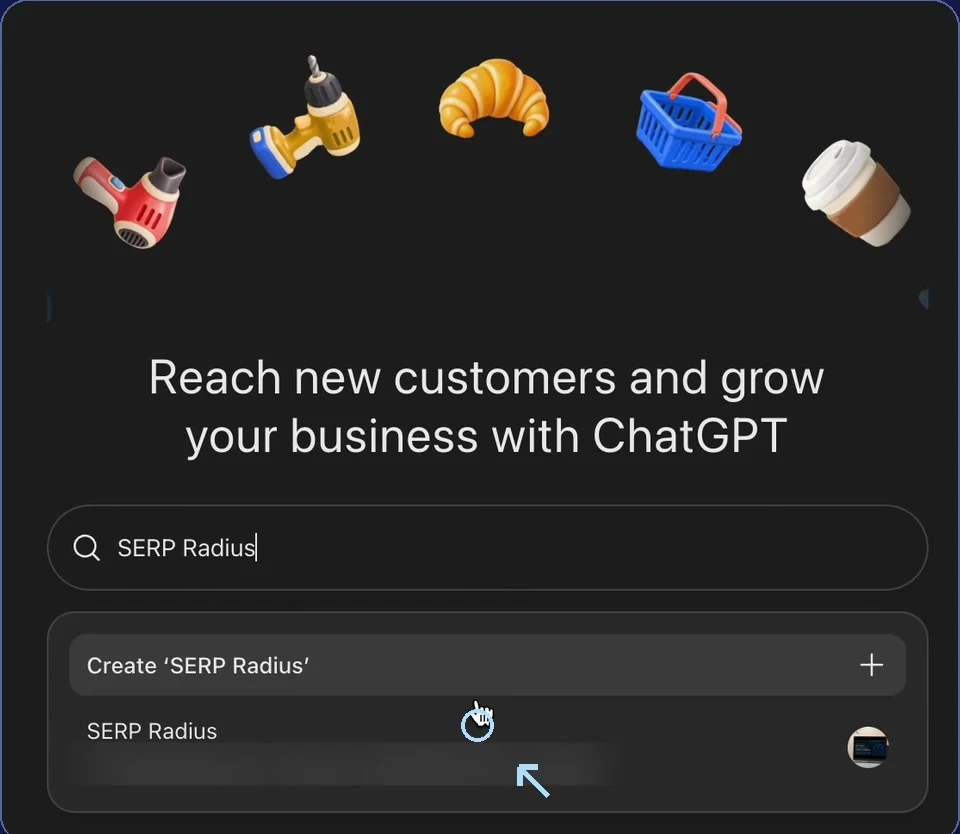
SERP Radius reached the waitlist. When we searched for our agency in Business Hub, the dropdown offered Create ‘SERP Radius’ and our existing listing. We selected the existing profile to avoid creating a duplicate.
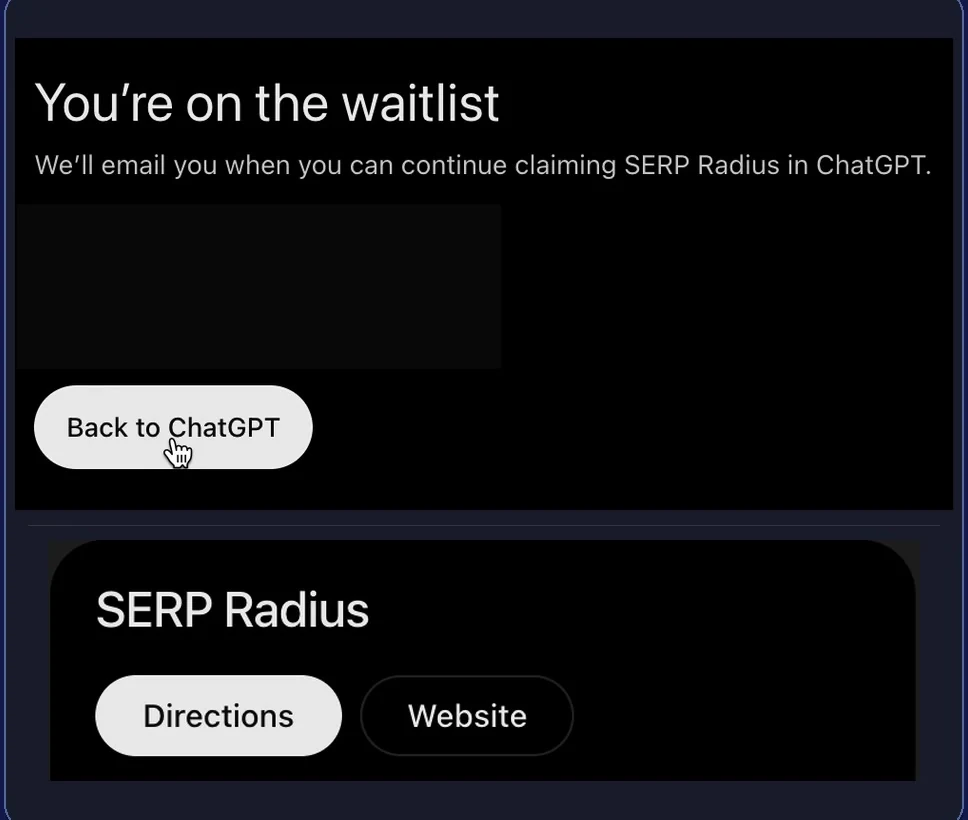
After we selected Get started, Business Hub offered a waitlist. We joined and received an on-screen confirmation that Business Hub would email us when we could continue the claim.
What can you update after verification?
After claim and Persona approval, you can submit changes to your website, business description, category, logo, cover photo, and delivery or return policies. OpenAI reviews changes before publishing them. Retailers can connect Shopify or upload a supported CSV product feed to share pricing and availability.
What does Business Hub Insights measure?
Business Hub Insights shows mentions, website clicks and discovery topics over the past 28 days. You can access these reports after claim and Persona approval.
| Measure | How to read it |
|---|---|
| Mentions | For an online business, ChatGPT must reference its website for OpenAI to count a mention. For a local business, showing a result for that location counts even if the user takes no further action. |
| Website clicks | Clicks on links to your website in ChatGPT. Use website analytics to assess measured visits and enquiries for the same period. |
| Discovery topics | Recurring themes in answers that mentioned or cited your business. OpenAI reports these as aggregate categories and keeps individual prompts and conversations private. |
Mark a blank metric as unavailable in your report. It may reflect a reporting threshold, data still being collected or a metric that is unavailable.
How to compare ChatGPT Business Hub Insights with GA4
Compare website clicks in Business Hub with ChatGPT referral sessions and enquiries in GA4 for the same 28-day period. In GA4, check session source and medium, then look at which landing pages received those visits and whether visitors triggered an enquiry event. Clicks and sessions measure different actions, so the totals can differ. See our guide to reading acquisition reports in GA4.
If you also track activity on Google, use our guide to reading Google Business Profile Performance to review that report alongside your ChatGPT figures.
Use discovery topics to decide what to inspect. If you see a recurring theme about technical SEO audits, check whether your audit page explains the scope, what the client receives and who implements the fixes. Record the page and the specific change you make so the next review can start with what actually changed.
Claiming lets you manage the information you submit about your business. ChatGPT continues to make recommendations independently. Use Business Hub to measure activity in ChatGPT and Google Search Console to measure Google Search performance. See our guide to SEO, AEO and GEO for how these channels fit together.
Who can create a ChatGPT Business Agent?
Eligible U.S. ecommerce and online service businesses with a website can create an optional ChatGPT Business Agent. If the option appears after verification, review the information the agent will use, test it with common customer questions and publish it when ready. Customers can follow links to your website to complete purchases or bookings. You can claim and manage an eligible profile without publishing an agent or running ads.
For help connecting AI search visibility with website visits and qualified enquiries, see our AI SEO services or book an SEO consultation.