
To check organic traffic in GA4, open the Traffic acquisition report and find Organic Search in the session channel table. Use a consistent date range and read the session metrics alongside meaningful enquiries.
This gives you a clearer view than treating every visitor, event or search-engine referral as the same kind of result.
Open the Traffic acquisition report
Confirm you are viewing the correct Analytics property. Open Reports and find Traffic acquisition. In the account shown below, it appears under Generate leads; report navigation can vary by property.
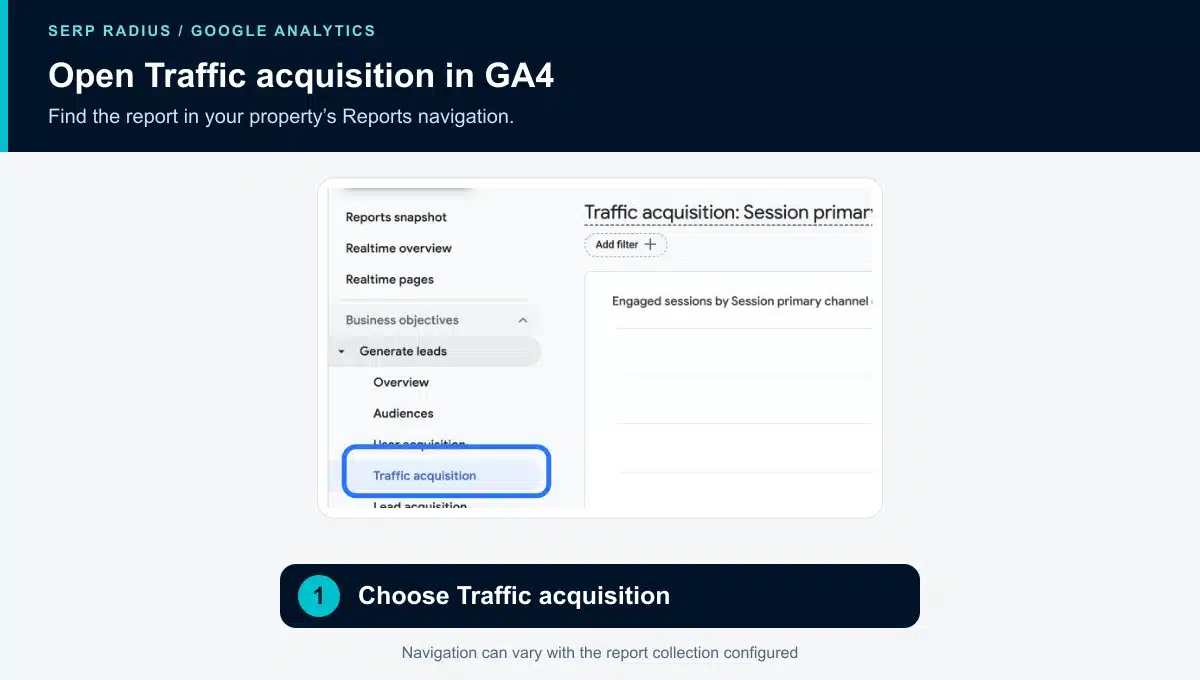
Choose Traffic acquisition when reviewing the channels associated with sessions.
Select the date range before writing down the figures. If you compare periods, check that the comparison suits the question, such as equivalent completed periods rather than an unfinished week against a full one.
Find Organic Search in the channel table
Scroll to the report table. With the session channel group displayed, find Organic Search. Use the table search if necessary and confirm you have not left an unrelated filter applied.
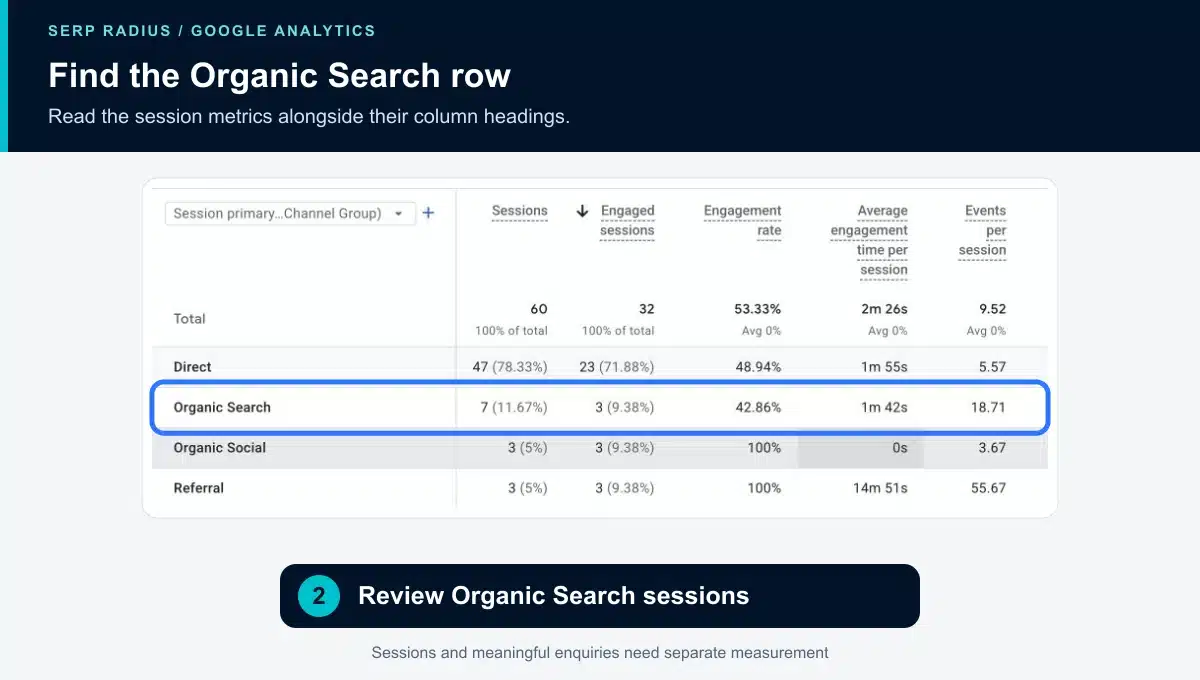
Read the metric headings above the row. Sessions, engaged sessions and events describe different things.
The example shows seven Organic Search sessions for its selected period.
Use the right metric for the question
Sessions describe visits as measured by GA4. Engagement metrics help you assess activity within those visits. Key events depend on what your property has configured and what is actually collected.
For a lead-generation website, inspect the definition behind a key event before calling it an enquiry. A button click, form start and successfully received form submission are different stages. Your reporting should make that distinction clear.
Traffic acquisition uses session-scoped dimensions. User acquisition answers a different question about how users were first acquired. Keep that scope consistent when comparing reports.
Separate organic search from other channels
Organic Search is not the same as all traffic from a Google-owned website. Advertising, referrals and other sources can be categorised separately. Organic Social is also a separate channel in the example.
When you need to investigate an individual search engine, review an appropriate session source/medium breakdown. For Google-specific query and search-result evidence, use Search Console alongside GA4 rather than expecting the two tools to report identical totals.
Consent, measurement configuration and the tools’ different definitions can affect the comparison. A difference between Search Console clicks and GA4 sessions is a reason to understand the measurement boundary, not immediate proof that either report is broken.
Follow traffic through to useful landing pages
Review where organic visitors enter and whether those pages support the intended next step. A service page should make the offer and enquiry route clear. A tutorial may need a relevant link to the service it supports.
If visits increase without suitable enquiries, check the landing pages, the quality of the traffic and whether lead measurement works. Avoid changing all three at once without a baseline; it becomes harder to understand what helped.
Our guide to websites ranking without generating leads covers that investigation in more detail.
Keep the monthly summary useful
Record the period, organic sessions, relevant landing pages and verified enquiry outcomes. Add one next action that follows from the evidence. Large event totals add little if nobody can explain their business meaning.
If you need help connecting search visibility with website enquiries, request an SEO consultation. SERP Radius can review the discovery and conversion journey together.
For report definitions and dimensions, see Google’s Traffic acquisition report documentation.